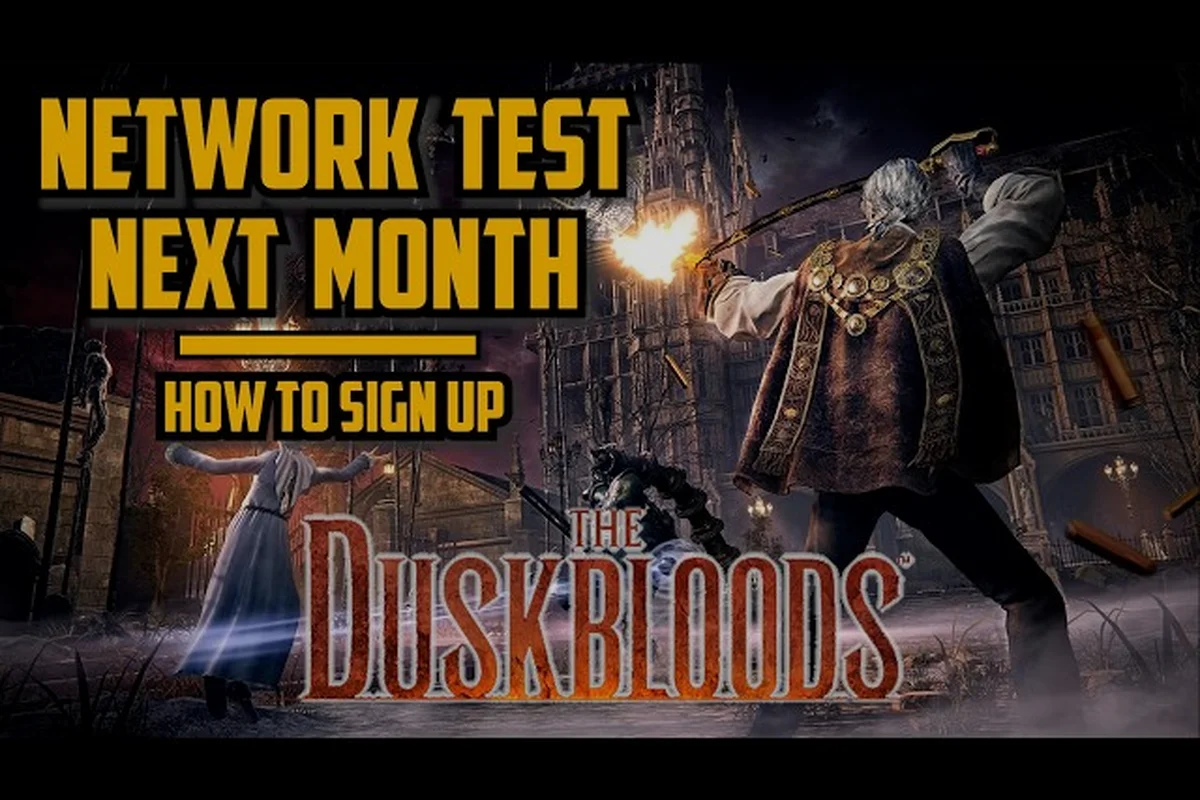
The application window for the Duskbloods network test has officially closed, and selection results went out on August 7 — so if you are wondering how to apply for the Duskbloods network test and what comes next, this guide walks you through every step, from checking your status to pre-loading the client. Get the latest details on the closed network test schedule, eligibility requirements, and download procedures so you are fully prepared when the first session begins.
Applying for the Duskbloods Network Test Step by Step
The official closed network test application site opened on July 22 and closed on July 28, giving players a short window to register for a chance to participate. FromSoftware partnered with Nintendo to run this test exclusively on Nintendo Switch 2, and the application itself required a few specific pieces of information to complete successfully.
The application process was straightforward, but several requirements caught players off guard. According to the official network test application site, you needed a Nintendo Account linked to a valid Nintendo Switch Online membership before you could even begin the registration form. The test also required a stable internet connection and a Japanese or English language setting depending on your region.
The application process for The Duskbloods closed network test was straightforward but time-sensitive, running from July 22 to July 28, 2026. Interested players had to visit the official Nintendo or FromSoftware network test page during that window and submit their application, which required a valid Nintendo Account linked to a Nintendo Switch 2 console. The sign-up period lasted only seven days, so anyone hoping to participate in the August 21-24 Dusk Battles had to act quickly. After the application window closed, a lottery draw was held on August 7 to randomly select participants, with access codes distributed via email on August 18. This multi-stage process meant that simply applying did not guarantee entry, and the final selection was entirely out of the player's hands once the lottery was complete.
-
Step 1: Visit the official Duskbloods network test campaign page during the application window (July 22–28).
-
Step 2: Sign in with your Nintendo Account and verify that your Nintendo Switch Online membership is active.
-
Step 3: Select your preferred platform region (the test supports multiple regions including the US, Europe, and Japan).
-
Step 4: Confirm your email address and submit the application form.
-
Step 5: Wait for the selection results announcement on August 7.
The application was free, and there was no purchase requirement beyond the Switch Online membership. Community reports suggest that approximately 100,000 players received access codes, though FromSoftware has not officially confirmed the exact number of participants for this test. Given that each match supports up to 8 players and the test spanned five 4-hour sessions across August 21-24, that figure would have allowed for thousands of concurrent Dusk Battles, though the actual server capacity and matchmaking pools were never publicly detailed. The lack of an official confirmation left room for speculation, but the reported number aligns with typical scale for FromSoftware's closed network tests, which are designed to stress servers while maintaining a manageable player base for quality feedback.
If you missed the application window, do not panic — there may be additional opportunities. The closed network test overview explains what we know about future test phases and whether FromSoftware plans to expand access before the full game launches.
Eligibility Requirements for the Network Test
Before applying, every player had to confirm they met the eligibility criteria. The requirements were clearly listed on the official site, and failing to meet any of them meant your application would be rejected automatically. The primary prerequisites were ownership of a Nintendo Switch 2 console and an active Nintendo Switch Online subscription, as the test was exclusive to that platform and required online play for the PvPvE Dusk Battles. Additionally, applicants had to be at least a certain age (typically 18 in most regions, though this varied by country) and reside in a supported region where the network test was offered. The system automatically cross-checked your Nintendo Account details against these requirements, so there was no manual review process; if your account lacked the necessary subscription or console registration, the application was discarded without further notice.
| Requirement | Details |
|---|---|
| Nintendo Account | Must be linked to your Switch 2 profile |
| Switch Online Membership | Active subscription required at time of application |
| Internet Connection | Wired or stable wireless connection recommended |
| Region Support | Test available in US, Europe, Japan, and select other regions |
| Age Restriction | Must be 18 or older to apply |
The age restriction surprised some players, as many FromSoftware titles are rated Mature but do not require age verification for beta participation. According to player reports, the application form required you to confirm you were at least 18 years old, and there was no way to bypass this verification step.
Another important detail: the network test was tied to your Nintendo Account, not your console. That means if you were selected, the download code was sent to the email address associated with your Nintendo Account, and you could redeem it on any Switch 2 console where that account is active.
What to Expect After Submitting Your Application
Once you submitted your application, there was nothing else to do until the results announcement. The selection process was entirely random, according to the official FAQ, and applied equally to all eligible applicants regardless of when they submitted their form during the window.
Some players wondered whether applying earlier increased their chances. Based on the language used on the official site, submission time did not matter — every eligible application had the same probability of being selected. This is consistent with how FromSoftware handled previous network tests for games like Elden Ring.
The waiting period between July 28 and August 7 felt long for many fans, but the official site promised that results would be delivered via email to the address on file. If you did not receive an email on August 7, the official site also had a status-check page where you could verify your selection by entering your Nintendo Account email.
Duskbloods Network Test Results and Selection
The duskbloods network test results were announced on August 7, 2026, as promised on the official campaign site. Players who applied during the July 22–28 window received an email notification confirming whether they were selected for the closed test, and the response time varied throughout the day based on region.
If you were selected, your email contained a unique download code that you would redeem on the Nintendo eShop for Switch 2. If you were not selected, the email clearly stated that you did not receive access this time, and it encouraged you to stay tuned for future announcements about the full game release.
For those who missed the email or accidentally deleted it, the official network test site offered a selection verification tool. Here is how to check your duskbloods network test selection status: you simply navigated to the same page where you originally submitted your application, logged in with the same Nintendo Account credentials, and accessed the dedicated status checker. The tool displayed whether your application had been selected in the lottery, and if so, it showed your unique download code directly on the page, eliminating the need to rely solely on email delivery. This was particularly useful because the access codes were sent out on August 18, but email filters or typos in your registered address could cause delays or outright loss of the message. The verification tool served as a reliable backup, ensuring that selected players could still retrieve their codes and prepare for the first session on August 21.
-
Visit the official network test campaign page.
-
Click on the "Check Results" or "Selection Status" link.
-
Enter the email address you used during the application process.
-
Wait for the system to display your status (Selected or Not Selected).
-
If selected, your download code appears on the confirmation screen.
The results page also displayed the network test schedule for selected players, including all four test sessions running from August 21 to August 24. According to community data, the test sessions were scheduled at specific times to accommodate players across different time zones, and each session lasted approximately three hours.
How to Check if You Were Selected
Checking your selection status was simple, but several players reported confusion because the email notifications arrived in waves. Some regions received their emails early in the morning on August 7, while others had to wait until late evening. If you were anxious about your status, the online verification tool was the fastest way to get an answer.
| Check Method | Timeframe | Notes |
|---|---|---|
| Email Notification | August 7, morning (Japan time) | Arrives in waves by region |
| Official Site Verification | August 7, after 10:00 AM JST | Manual entry of email required |
| Nintendo eShop | August 18 onward | Download code appears if selected |
The Nintendo eShop method was the most reliable confirmation, because selected players could see the Duskbloods network test client available for download starting August 18. If you had access to your Switch 2 before that date, checking the eShop for the game page showed whether the download option was available for your account.
Players who were not selected received a "Not Selected" message on the verification page, and their eShop would not show the network test client at all. According to community reports, there was no waitlist system, and unselected players could not appeal the decision or request a code through customer support.
Understanding the Selection Criteria
FromSoftware did not publicly disclose the exact selection criteria, but the official FAQ stated that selection was random among all eligible applicants. This means factors like application submission time, play history, or previous participation in FromSoftware betas did not influence the outcome.
| Factor | Impact on Selection |
|---|---|
| Application submission time | None — random selection |
| Previous FromSoftware beta participation | None — no preference given |
| Nintendo Switch Online membership tier | None — any active membership qualifies |
| Geographic region | Determines test session time, not selection odds |
| Age | Must be 18+ to be eligible at all |
The random selection model was a deliberate choice to ensure fairness, according to the official site. This approach also prevented players from gaming the system by creating multiple Nintendo Accounts, because each application was tied to a unique account and email address.
One detail that confused some players: the selection results email did not include the download code directly. Instead, it contained a link to the verification page where the code was displayed. This extra step was likely a security measure to prevent codes from being shared or resold, since the code was only visible after logging in with the associated Nintendo Account.
Duskbloods Network Test Download Code Details
The duskbloods network test download code was the key to accessing the test client, and it followed a specific redemption process that differed slightly from standard game downloads. Codes were distributed starting August 18, three days before the first test session, giving selected players plenty of time to pre-load the client.
Your download code was unique to your Nintendo Account, and it could only be redeemed once. The code was non-transferable, meaning you could not share it with friends or sell it to other players. According to the official terms, any attempt to transfer or resell codes would result in immediate disqualification from the test.
Here is the redemption process step by step: first, ensure your Nintendo Switch 2 is powered on and connected to the internet, then navigate to the Nintendo eShop from the home menu. Select the option to redeem a code, which is typically found in the menu on the left side of the eShop interface. Enter the 16-character download code exactly as it appears in your confirmation email or on the selection verification tool, being careful to include any hyphens or spaces as shown. After confirming the code, the network test client for The Duskbloods will begin downloading to your console; you must have sufficient storage space and a stable connection to complete the download before the first test session begins. Once the download finishes, the game will appear on your home screen, and you can launch it during any of the five 4-hour sessions to start playing as a Bloodsworn in the Dusk Battles.
-
Open the Nintendo eShop on your Switch 2 console.
-
Select "Redeem Code" from the menu on the left side of the screen.
-
Enter the 16-character code from your selection email or verification page.
-
Confirm the redemption and wait for the download to begin.
-
Ensure you have at least 10 GB of free storage space for the client.
The download size for the network test client was approximately 8.5 GB, according to player reports from the pre-load period. This is a substantial download, so starting it early on August 18 was critical for players with slower internet connections.
If you encounter any issues with your download code, the network test download guide covers common problems and solutions, including what to do if your code does not redeem or the download fails midway through. Common fixes include double-checking that you are using the correct Nintendo Account region, as codes are often region-locked, and ensuring your Switch 2 system software is up to date. If the code is rejected, it may have been entered incorrectly or already used, so verify the characters and try again. For download interruptions, pausing and resuming the download or restarting the console in airplane mode can often resolve the issue. The guide also addresses error codes specific to the network test client, helping you get back into the Dusk Battles as quickly as possible before the limited session time expires.
When and Where to Find Your Download Code
The download code appeared in two places: your email notification from August 7 and the verification page on the official site. Both displayed the same code, but the email version was easier to access if you were away from your computer.
| Source | Date Available | How to Access |
|---|---|---|
| Selection Email | August 7 | Check the inbox of your Nintendo Account email |
| Verification Page | August 7 onward | Log in with your email on the official site |
| Nintendo eShop | August 18 | Code auto-applies when accessing the game page |
The eShop method was the most convenient because it did not require manual code entry. When you visited the Duskbloods page on the eShop with a selected account, the download button appeared automatically, and the code was applied in the background without any additional steps.
Players in regions where the eShop was not yet available for Switch 2 had to use the manual code redemption method. According to community reports, this affected a small number of players in Southeast Asia and South America, but the official site confirmed that codes worked across regional eShop stores as long as the account region matched the application region.
Troubleshooting Code Redemption Issues
Even though the redemption process was straightforward, some players ran into errors. The most common issue was entering the code incorrectly, especially because the code used a mix of letters and numbers that could be easily confused. The official site recommended copying the code directly from the verification page rather than typing it manually.
| Error Message | Likely Cause | Solution |
|---|---|---|
| "Code is invalid" | Typo in the code | Copy-paste from the verification page |
| "Code already used" | Code redeemed on another account | Contact Nintendo Support |
| "Code expired" | Attempted after test end date | Codes expire after August 24 |
| "Region mismatch" | Account region differs from application | Switch account region to match |
If your code showed as "already used" but you never redeemed it, the most likely explanation was that someone gained access to your Nintendo Account. According to community advice, you should immediately change your account password and contact Nintendo Support to investigate the unauthorized access.
Codes expired on August 24 at the end of the final test session, so there was no benefit to holding onto an unredeemed code. If you were selected but did not plan to participate, the code simply became void after the test period ended.
Duskbloods Network Test Schedule and Sessions
The network test ran from August 21 to August 24, 2026, with four separate sessions spread across the weekend. Each session lasted approximately three hours, and the schedule was designed to give players in different time zones at least one convenient window to participate.
The session times were announced alongside the selection results on August 7, and they were fixed — there was no flexibility to switch sessions or join a different time slot. According to the official site, each session tested different server configurations, which is why the test required multiple sessions rather than a single continuous window.
| Session | Date | Time (UTC) | Time (ET) | Time (JST) |
|---|---|---|---|---|
| Session 1 | August 21 | 11:00–14:00 | 7:00–10:00 AM | 20:00–23:00 |
| Session 2 | August 22 | 03:00–06:00 | 11:00 PM–2:00 AM | 12:00–15:00 |
| Session 3 | August 23 | 19:00–22:00 | 3:00–6:00 PM | 04:00–07:00 |
| Session 4 | August 24 | 15:00–18:00 | 11:00 AM–2:00 PM | 00:00–03:00 |
The session schedule was a point of contention for some players, because the times were not evenly distributed across regions. Players in the Americas had two convenient daytime sessions (Sessions 1 and 3), while players in Japan had late-night sessions that were less accessible for those with work or school commitments.
FromSoftware acknowledged the scheduling challenges in a statement on the official site, noting that the times were chosen based on server load testing requirements rather than player convenience. The company also confirmed that all four sessions would feature identical content, so players who could only attend one session did not miss any unique rewards or content.
Session-by-Session Look at the August Test Windows
Each network test session focused on the Dusk Battles multiplayer mode, which pits up to eight players against each other in a Victorian-gothic setting. The test was designed to stress-test the online infrastructure, so the core gameplay loop was simplified compared to the full game.
According to the IGN coverage of the network test announcement, the test featured: a closed network test scheduled for August 21-24, 2026, with five distinct sessions each lasting four hours, giving players a total of 20 hours of playtime across the weekend. The test allowed up to 8 players per match to engage in the PvPvE Dusk Battles, where the goal was to accumulate Victory Points by being the last one standing, defeating a boss, or completing dynamic events. Players could also pursue personal objectives like Destined Rivals or Destined Companion, which added layers of strategy beyond simple combat. The test included a selection of the 12+ playable characters, each with a unique melee weapon and a ranged firearm, and showcased the superhuman movement abilities such as sprinting, super jumps, and double jumps that define the Bloodsworn.
-
Dusk Battles with up to 8 players per match.
-
Victory Points as the win condition, earned through combat and objective play.
-
Bloodsworn customization through Blood History and Blood Fate systems.
-
Dynamic events that occur randomly during matches.
The network test did not include the full campaign or story content. Instead, players were given access to a limited version of the multiplayer mode, with a fixed loadout of weapons and abilities to choose from. This allowed the developers to focus on testing matchmaking, server stability, and netcode performance.
Players who participated in the test were promised an exclusive in-game reward for the full game, though the specific reward has not been announced. According to community data, the reward is expected to be a cosmetic item such as a unique weapon skin or armor set, similar to rewards offered in previous FromSoftware network tests.
What You Need Before Starting the Application
Now that you know how to apply for the Duskbloods network test and your selection status, the next step is preparing your console and environment for the test sessions. Proper preparation ensures you can jump into the action as soon as a session begins, rather than wasting precious test time on setup issues.
The most critical preparation step is pre-loading the network test client. The download went live on August 18, and the client was approximately 8.5 GB. Starting the download as soon as it became available gave you plenty of time to install the client and verify it launches correctly before the first session.
Here is a pre-test checklist to follow: first, confirm that your Nintendo Switch 2 has the latest system update installed and that you have at least 10 GB of free storage space for the network test client, as the download size was not officially disclosed but was expected to be substantial given the game's scope. Second, verify that your Nintendo Switch Online subscription is active and that your account is set to the correct region, since the test codes were region-specific. Third, download the network test client at least a day before the first session on August 21 to avoid last-minute server congestion. Fourth, test your internet connection and ensure your NAT type is open or moderate, as strict NAT settings could prevent matchmaking in the 8-player Dusk Battles. Finally, set a reminder for each of the five 4-hour sessions, as they occurred at specific times and missing one meant losing that window entirely.
-
Pre-load the client from the eShop as soon as it appears on August 18.
-
Verify your internet connection meets the minimum speed requirements (5 Mbps download recommended).
-
Update your Switch 2 system software to the latest version.
-
Charge your controllers and have a backup pair ready.
-
Close all other applications on your Switch 2 before the session starts.
-
Join the official Discord or community forums for real-time troubleshooting during the test.
The network stability of your connection matters more than raw speed for a multiplayer test. According to player reports, wired connections performed significantly better than wireless connections during the test, with fewer disconnects and lower latency. If you can connect your Switch 2 via Ethernet, that is the recommended setup.
What to Know Before Your First Dusk Battle
Entering your first Dusk Battle can be overwhelming, especially if you are not familiar with FromSoftware's multiplayer design philosophy. The network test introduced several mechanics that differ from traditional battle royale or team deathmatch modes, and understanding them beforehand gives you a significant advantage.
| Mechanic | Description | Strategic Implication |
|---|---|---|
| Victory Points | Earn points for kills, objectives, and survival | Prioritize objectives over pure combat |
| Bloodsworn | Customizable character with Blood History and Blood Fate | Build variety affects playstyle significantly |
| Moontears | In-match currency for temporary buffs | Spend wisely based on match progression |
| First Blood | Bonus points for the first kill of a match | Aggressive early play can snowball momentum |
The Victory Points system was the most important mechanic to understand, because it rewarded more than just player kills. Capturing objectives and surviving until the end of the match contributed significantly to your score, meaning a player who avoided combat entirely could still win the match if they played the objective game effectively.
According to the TechRadar breakdown of the network test details, the Bloodsworn customization system was deeper than initially expected. Players could choose from multiple Blood Histories that functioned like character classes, each with unique abilities and stat distributions, and the Blood Fate system added another layer of customization through passive modifiers.
Community Resources and Support During the Test
Even with thorough preparation, technical issues can arise during the test. Having access to community resources and support channels was essential for resolving problems quickly, especially since the test sessions were only three hours long and every minute mattered. The official FromSoftware and Nintendo support pages provided troubleshooting guides for common errors like connection timeouts or matchmaking failures, while community forums and Discord servers offered real-time advice from other players who may have encountered the same issues. Since the test was a closed event with limited sessions, there was no opportunity to retry a failed match later, so knowing where to find quick solutions was critical. Players who experienced persistent problems were encouraged to report them through the official feedback form, as the network test was primarily designed to identify and fix such technical flaws before the full game's launch in 2026.
The official Discord server for The Duskbloods was the most active hub for real-time discussion during the test. Players shared troubleshooting tips, reported server issues, and organized matches with each other. The server was moderated by community volunteers, and the developers were known to monitor the channels for feedback.
If you want to understand what to expect during the test sessions, the network test preparation guide covers common questions about gameplay mechanics, matchmaking, and what to do if you encounter connection errors. The guide also explains the redeem code process in detail, in case you run into issues with your download code during the pre-load period.
The community also maintained a live status tracker during the test windows, which reported server availability and matchmaking delays in real time. According to community data, the first session on August 21 experienced matchmaking delays of 2–5 minutes due to high player volume, but the servers stabilized by the second session as the load balanced out.
Frequently Asked Questions
Can I still apply for the Duskbloods network test?
The application window closed on July 28, so you cannot apply for this round of testing anymore. However, FromSoftware may announce additional network tests before the full game releases. The best way to stay informed is to follow the official The Duskbloods social media channels and check the official website regularly for announcements.
What happens if I was not selected for the network test?
If you were not selected, you cannot participate in this network test, and there is no waitlist system. Your application is not carried over to any future tests, so you would need to apply again if FromSoftware announces another round. The full game is scheduled to release in 2027, so keep an eye on official announcements for more opportunities.
How do I find my Duskbloods network test download code?
Your download code appears in the selection email you received on August 7, and it is also displayed on the official network test verification page when you log in with your application email. Starting August 18, the code auto-applies when you visit the Duskbloods page on the Nintendo eShop with your selected account.
Is a Nintendo Switch Online membership required for the test?
Yes, an active Nintendo Switch Online membership is required to participate in the network test. This requirement was part of the application eligibility criteria, and it also applies during the test sessions themselves. If your membership expires before the test begins, you will not be able to access the online multiplayer features.
What time does the Duskbloods network test start on August 21?
The first session kicks off at 11:00 UTC on August 21—7:00 AM ET, 8:00 PM JST—running three hours. All four sessions share identical content, so pick the one matching your timezone. Haven't applied yet? Head to the official site before August 10 to submit your platform and region.